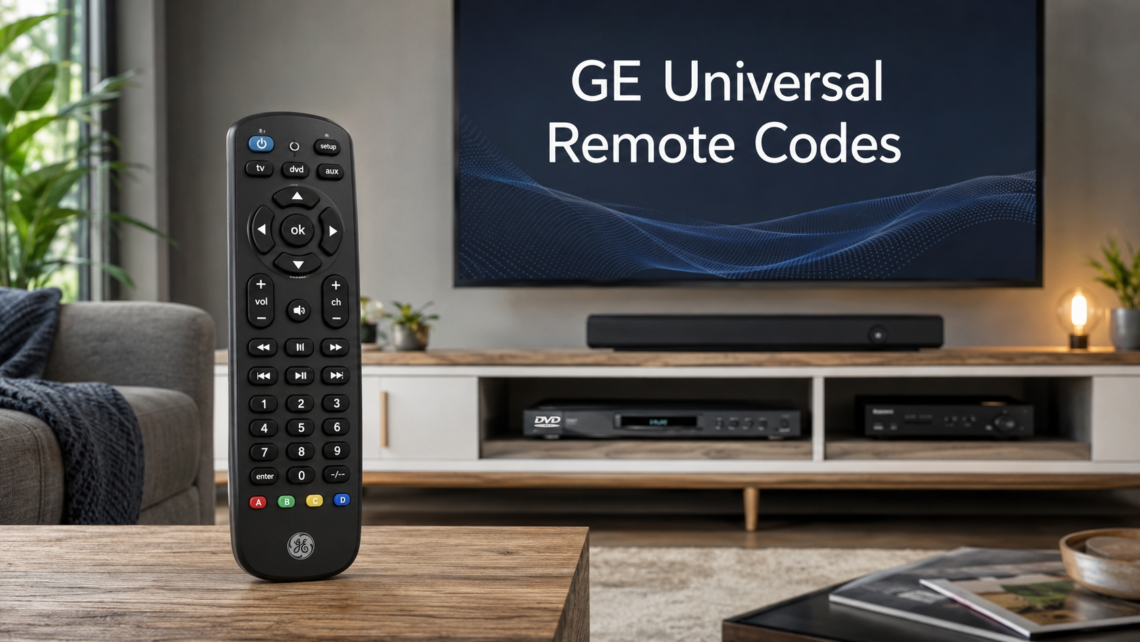
GE universal remote codes are important for anyone who wants to control several home entertainment devices with one simple remote. Many people use separate remotes for their TV, DVD player, cable box, streaming device, soundbar, or audio system, and this can quickly become confusing. A GE universal remote solves this problem by allowing one remote to communicate with different brands and devices through special programming codes.
These codes work like a connection key between the remote and the device. When the correct GE universal remote code is entered, the remote understands which infrared signal to send. This allows it to control basic functions such as power, volume, channel selection, input, menu navigation, and playback. Without the right code, the remote may not work at all, or it may only control limited features.
For users who want a clean and simple entertainment setup, understanding GE universal remote codes is very useful. Whether you are setting up a Samsung TV, LG TV, Sony TV, Vizio TV, Hisense TV, Roku device, DVD player, Blu-ray player, or soundbar, the correct code can save time and make the remote work properly. This guide explains how these codes work, how to find them, how to program them, and what to do if your GE universal remote does not respond.
What Are GE Universal Remote Codes?
GE universal remote codes are numeric codes used to program a GE remote so it can control another electronic device. These codes are usually made up of four digits, although some older remotes may use three-digit codes. Each code represents a signal pattern that matches a specific brand or device type. For example, a code for an LG TV may not work for a Samsung TV because each brand uses different control signals.
The main purpose of these codes is to help the remote identify the correct device command system. When you enter a code into your GE universal remote, the remote stores that code and uses it whenever you press buttons. This allows the remote to send the right command when you want to turn the TV on, adjust the volume, change channels, or open the menu.
Many brands have more than one GE universal remote code because different models from the same company may use different signal systems. A newer smart TV may need a different code than an older flat-screen TV from the same brand. This is why users often need to try more than one code before finding the one that works best. The first code may turn the TV on, but another code may give better access to volume, input, and menu functions.
Why GE Universal Remote Codes Are Useful
GE universal remote codes are useful because they reduce the need for multiple remotes. In many homes, people have a separate remote for the TV, cable box, DVD player, sound system, and streaming device. This can make watching TV more complicated than it needs to be. A GE universal remote helps bring these controls into one device, making the entertainment experience smoother and easier.
Another benefit is convenience. If your original remote is lost, broken, or no longer working, a GE universal remote can be a practical replacement. Instead of buying a brand-specific remote, you can program the GE remote with the right code and continue using your device. This is especially helpful for older TVs, DVD players, and audio systems where the original replacement remote may be hard to find.
GE universal remote programming is also helpful for people who want a simple remote for daily use. Many smart TV remotes have small buttons, voice controls, or extra features that some users may not need. A universal remote offers a more traditional layout with familiar buttons. Once programmed correctly, it can provide reliable access to the most important controls without requiring advanced technical knowledge.
Understanding GE Remote Versions Like CL3, CL4, CL5, and CL6
One important detail many users miss is that GE universal remotes come in different code versions. These versions are often marked as CL3, CL4, CL5, or CL6. You can usually find this information inside the battery compartment or on the back label of the remote. The version matters because each one may use a different code list.
For example, a code that works on a GE CL5 universal remote may not work on a GE CL3 remote. This does not mean the remote is broken. It simply means the code belongs to a different code library. GE updates these code libraries over time to support newer devices, brands, and technology. That is why checking your remote version before entering codes is an important first step.
If you are looking for GE universal remote codes for a TV, DVD player, soundbar, or cable box, always match the code list with your remote version. This will save time and reduce frustration. Many people try random codes from the internet without checking the CL version, and then assume the remote is faulty. In most cases, using the correct CL3, CL4, CL5, or CL6 code list solves the problem.
How to Program a GE Universal Remote With Codes
Programming a GE universal remote with codes is usually simple when you follow the correct steps. First, turn on the device you want to control, such as your TV or DVD player. Then press and hold the Setup button on the remote until the red indicator light stays on. This light shows that the remote is ready to accept a programming code.
Next, press the device button that matches what you are programming. If you are setting up a TV, press the TV button. If you are programming a DVD player, press the DVD button. After that, enter the correct four-digit GE universal remote code for your brand and device. If the code is accepted, the red light will usually turn off. Then you can test the remote by pressing Power, Volume, Channel, or Menu.
If the device responds, the code has worked. However, you should test more than one function before finishing. Sometimes a code may turn the device on and off but may not control the volume or input properly. If this happens, try another code for the same brand. The best GE remote code is the one that gives the most complete control over your device.
Programming a GE Universal Remote Without a Code
Sometimes you may not know the correct GE universal remote code for your device. In that case, you can use the auto code search method. This feature allows the remote to search through its stored code library until it finds one that works. It is a helpful method when you cannot find your device code or when the code list does not include your exact model.
To use auto code search, turn on the device first. Then press and hold the Setup button until the indicator light stays on. Press the device button, such as TV, DVD, or AUX. After that, press the Power button repeatedly while pointing the remote at the device. The remote will send different code signals each time. When the device turns off, press Enter or Save to store the working code.
This process may take some patience because the remote may need to test many codes before finding the right one. However, it is often successful for common TV brands and entertainment devices. Auto search is especially useful for older devices, lesser-known brands, or situations where you do not have the original code sheet. Once the remote finds the correct signal, it can work almost the same as if you entered the code manually.
Common GE Universal Remote Codes for Popular TV Brands
Many users search for GE universal remote codes for popular TV brands such as Samsung, LG, Sony, Vizio, Hisense, TCL, Philips, Panasonic, Sharp, RCA, Toshiba, Insignia, and Sanyo. These brands often have several possible codes because their TVs use different signal systems across different models. This is why there is rarely one universal code that works for every TV from the same brand.
For example, Samsung TVs may have multiple GE remote codes depending on the remote version and TV model. LG, Sony, Vizio, and Hisense also often require trying more than one code. If the first code does not work, it is best to continue testing other codes listed for that brand. Many users stop too early and assume their remote is not compatible, when the correct code may simply be farther down the list.
When programming TV codes, always test the most important buttons after entering each code. Power, volume, channel, input, and menu controls are the main functions to check. If all of these work properly, the code is likely a good match. If only some buttons work, another code may provide better compatibility. This small testing step can prevent problems later when you are trying to switch inputs or adjust settings.
GE Universal Remote Codes for DVD Players, Soundbars, and Streaming Devices
GE universal remote codes are not only for televisions. Many GE remotes can also control DVD players, Blu-ray players, soundbars, cable boxes, satellite receivers, audio receivers, and some streaming devices. This makes them useful for complete home entertainment systems. Instead of keeping separate remotes for each device, you can program one remote for several functions.
DVD and Blu-ray player codes allow the remote to control playback features such as play, pause, stop, rewind, fast forward, and power. Soundbar and audio receiver codes are often used for volume control, mute, and power. Cable and satellite box codes help manage channels, guides, and basic navigation. The exact level of control depends on the device, the remote model, and the code used.
Streaming device compatibility can vary more than TV or DVD programming. Some streaming devices use infrared signals, while others rely on Bluetooth, Wi-Fi, or radio frequency control. A GE universal remote usually works best with devices that support infrared commands. If your streaming device does not respond, it may not support the type of signal the remote sends, or it may need a specific compatible setup through the TV or HDMI-CEC settings.
What to Do When GE Universal Remote Codes Do Not Work
If your GE universal remote code does not work, the first thing to check is the remote version. Look inside the battery compartment for CL3, CL4, CL5, or CL6. Then make sure the code you are using belongs to that version. Using the wrong version’s code list is one of the most common reasons a GE remote fails to program correctly.
The second thing to check is the batteries. Weak batteries can cause the remote to send a poor infrared signal. Even if the light turns on, the signal may not be strong enough to reach the device properly. Replacing the batteries with fresh ones can solve many remote control problems. Also make sure there is nothing blocking the front of the remote or the sensor on the device.
If the remote still does not work, try another code for the same brand or use the auto code search method. Some devices require several attempts before the correct code is found. You can also reset the remote and start again if previous programming attempts may have caused confusion. Taking a careful, step-by-step approach is usually better than entering codes quickly without testing each one properly.
Tips for Getting the Best Results From a GE Universal Remote
To get the best results from a GE universal remote, keep a record of the working codes for each device. Once you find the correct TV code, DVD code, or soundbar code, write it down or save it on your phone. This will help if the batteries are removed for a long time or if the remote needs to be reprogrammed later. Having the code saved can prevent repeating the full search process.
It is also helpful to program one device at a time. Start with the TV because it is usually the main device in the setup. After the TV works properly, move on to the cable box, DVD player, or soundbar. Testing each device separately makes it easier to know which code is working and which device still needs attention. Trying to program everything at once can make troubleshooting more difficult.
Another useful tip is to test all key buttons before assuming the setup is complete. A code may seem successful when the power button works, but the volume or input button may fail. A better code may provide fuller control. Taking a few extra minutes to test functions like power, mute, volume, channel, input, menu, and playback can make the remote much more reliable for everyday use.
Final Thoughts on GE Universal Remote Codes
GE universal remote codes make it easier to control multiple entertainment devices with one remote. They are especially useful when the original remote is missing, damaged, or inconvenient to use. By entering the correct code or using the auto search method, users can connect a GE universal remote to TVs, DVD players, Blu-ray players, soundbars, cable boxes, and other compatible devices.
The most important part of the process is matching the code to the correct remote version and device type. CL3, CL4, CL5, and CL6 remotes may use different code libraries, so checking the version first is essential. Users should also remember that one brand can have multiple possible codes, and it may take a few attempts to find the best one.
With patience and the right steps, programming a GE universal remote is not difficult. The process becomes much easier when you understand how the codes work, how to test them, and how to troubleshoot common issues. Whether you are setting up a TV, soundbar, DVD player, or full home entertainment system, GE universal remote codes can help simplify your setup and make daily viewing more convenient.